
Poker Log
Table Capture, Layout & ML Models
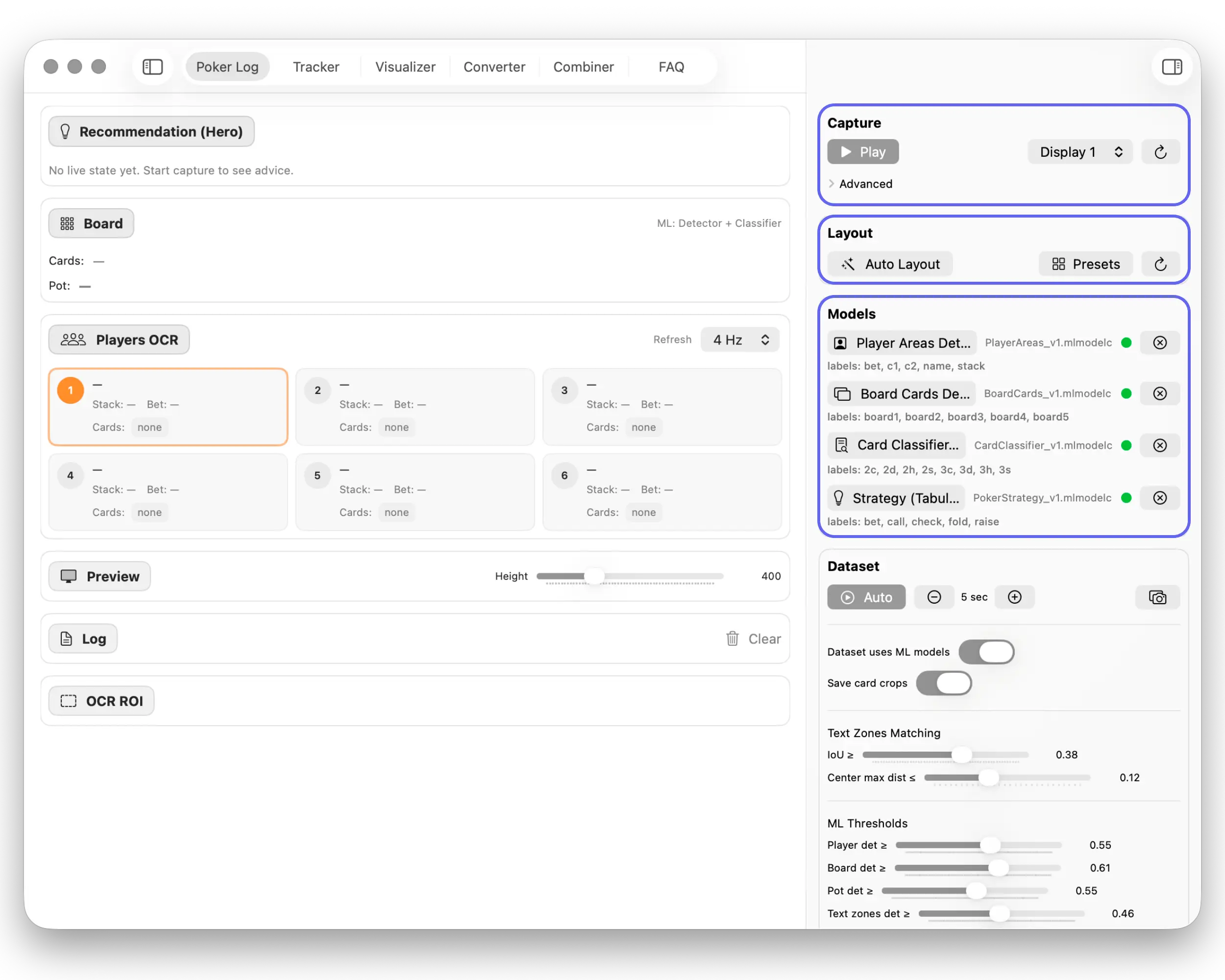
Real-time capture with OCR of players, board, pot, and stacks, plus rule-based decision-support overlays.
Ten focused workspaces cover the entire lifecycle from live capture to dataset cleanup and analytics, always as a training and research tool.
LumiGap turns a visible poker table into structured analytics. ScreenCaptureKit streams pixels, Vision OCR parses text, and Core ML models find ROI regions, cards, and stacks before writing logs locally.
Table Capture, Layout & ML Models
Real-time capture with OCR of players, board, pot, and stacks, plus rule-based decision-support overlays.
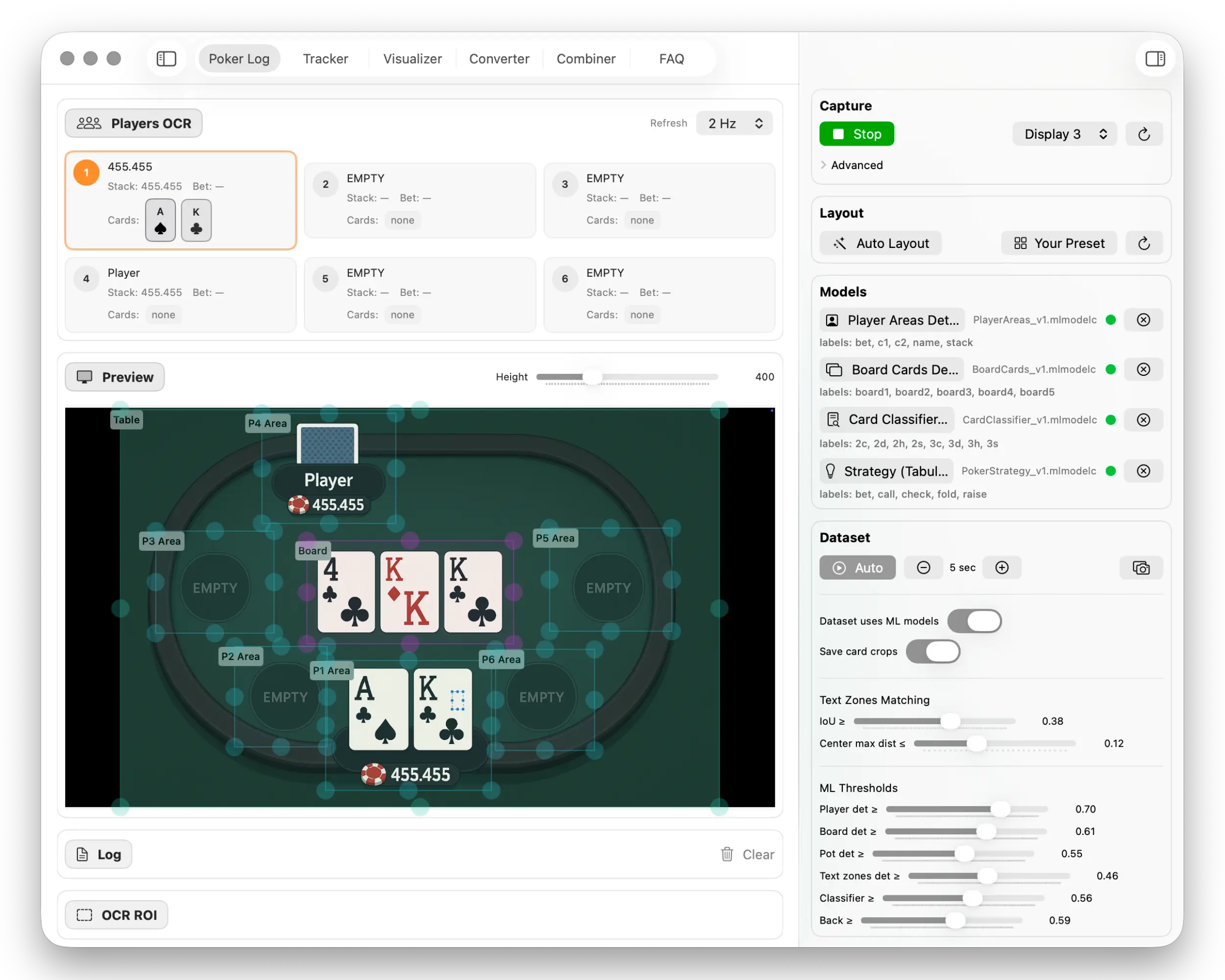
Table Layout Setup & ML Zone Mapping
Interactive table layout setup: define player areas and board card zones for your current poker table. Save presets and instantly re-apply them later in just two clicks. Used to tune ML detection for any poker client or table design.
ML Dataset Generation
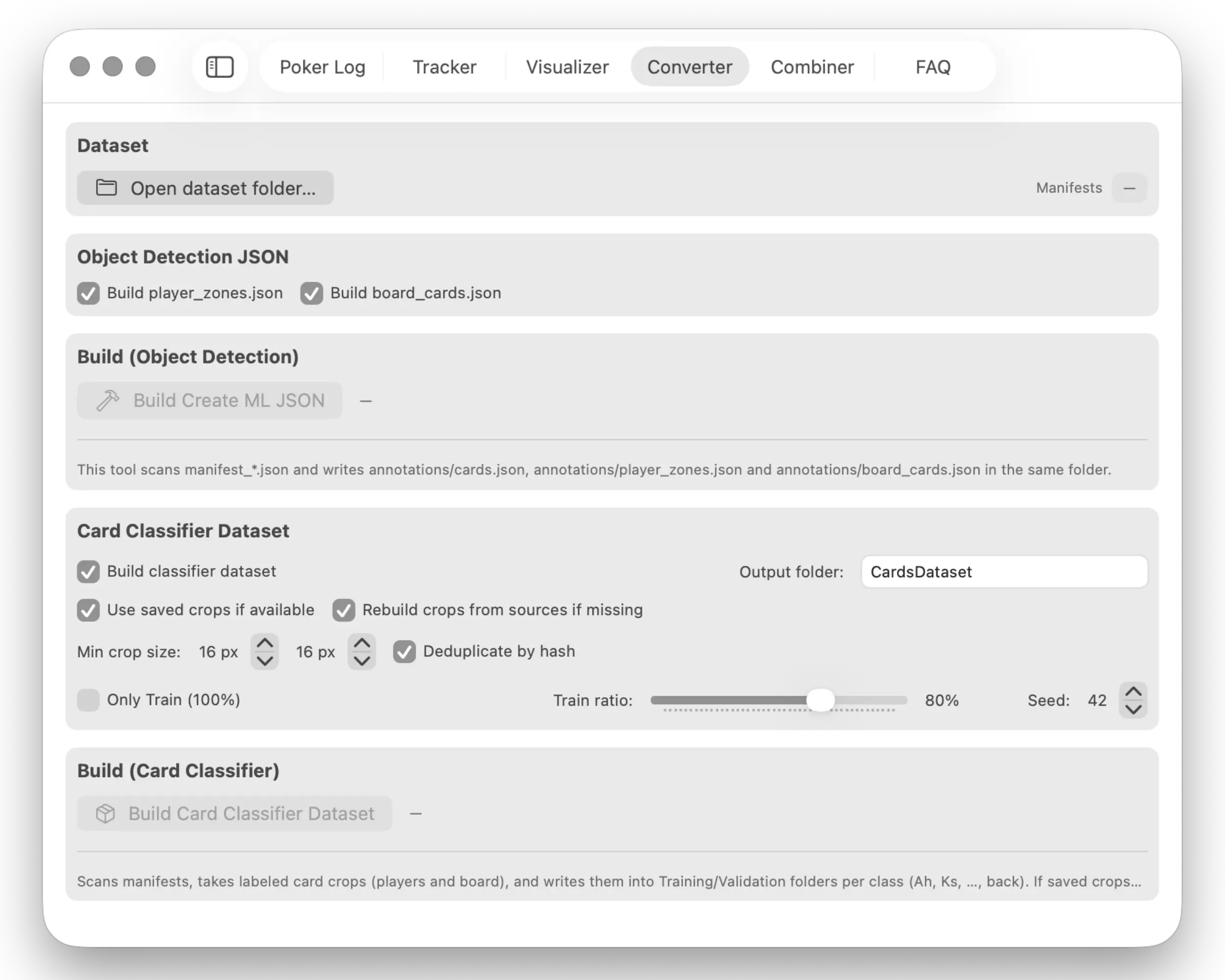
A dataset conversion tool that scans manifests, generates Object Detection JSON, builds the card classifier dataset, performs cropping, deduplication, and Train/Validation splitting. Designed for creating your own high-accuracy models in Create ML.
Merge Multiple Datasets
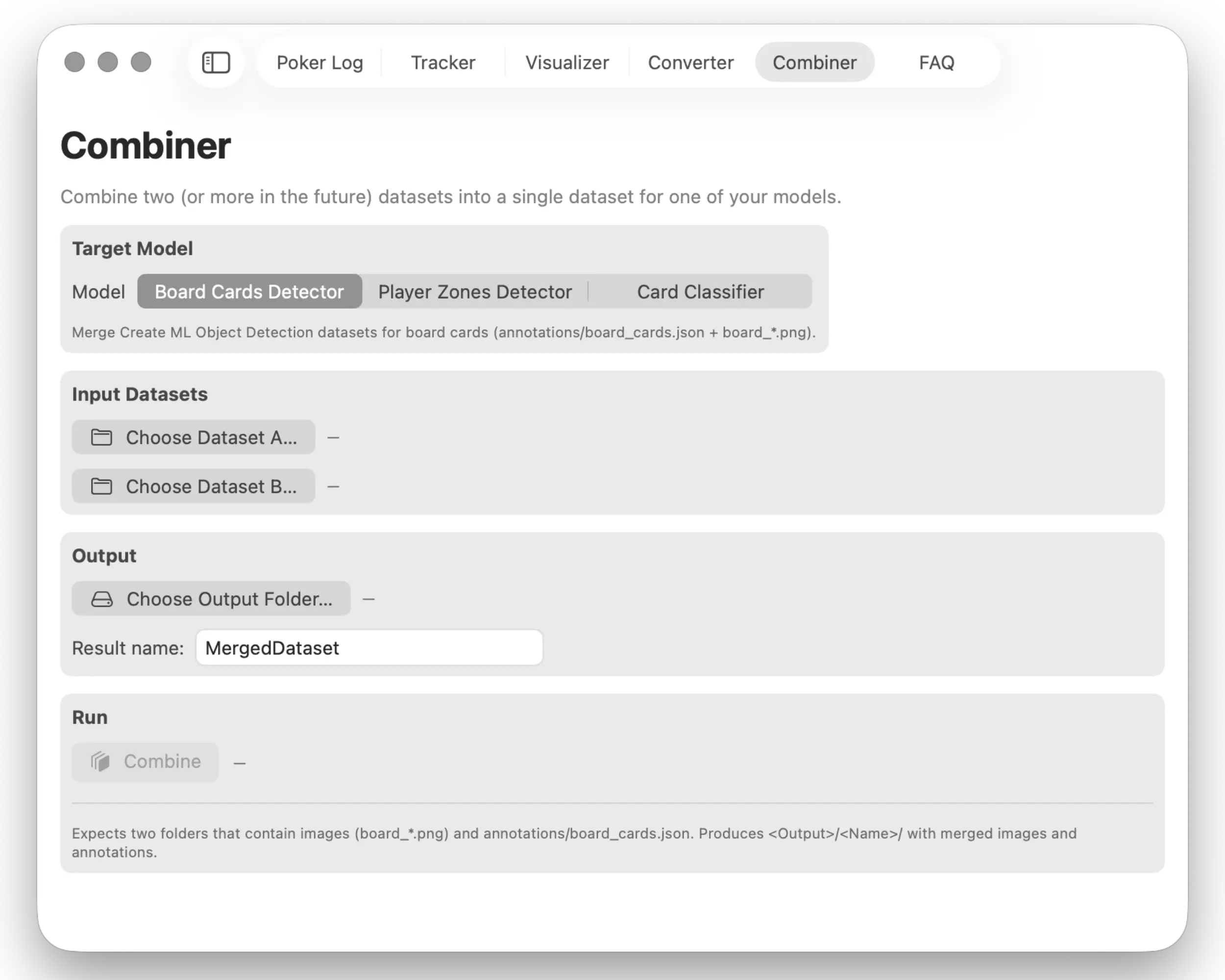
A tool for merging two compatible datasets (Player Area Detection, Board Card Detection, or Card Classification) into a single unified dataset. Useful for expanding training sets, removing duplicates, and preparing large ML datasets.
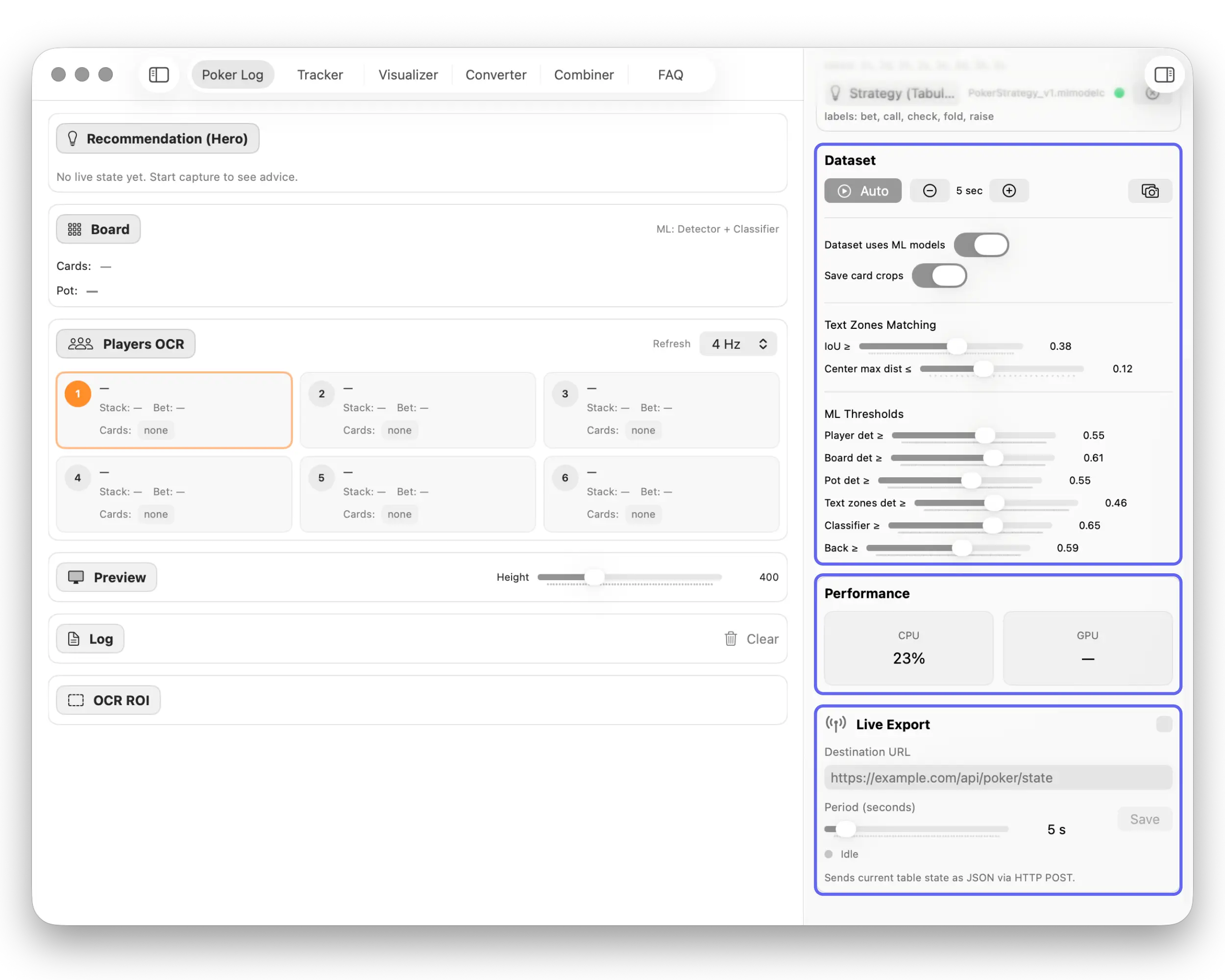
Dataset Settings + Live Export
A control panel for dataset collection: automatic capture, card crop saving, ML detector threshold tuning, CPU/GPU monitoring, and Live Export of the full table state (cards, stack, bet, board, pot) at fixed intervals via HTTP.
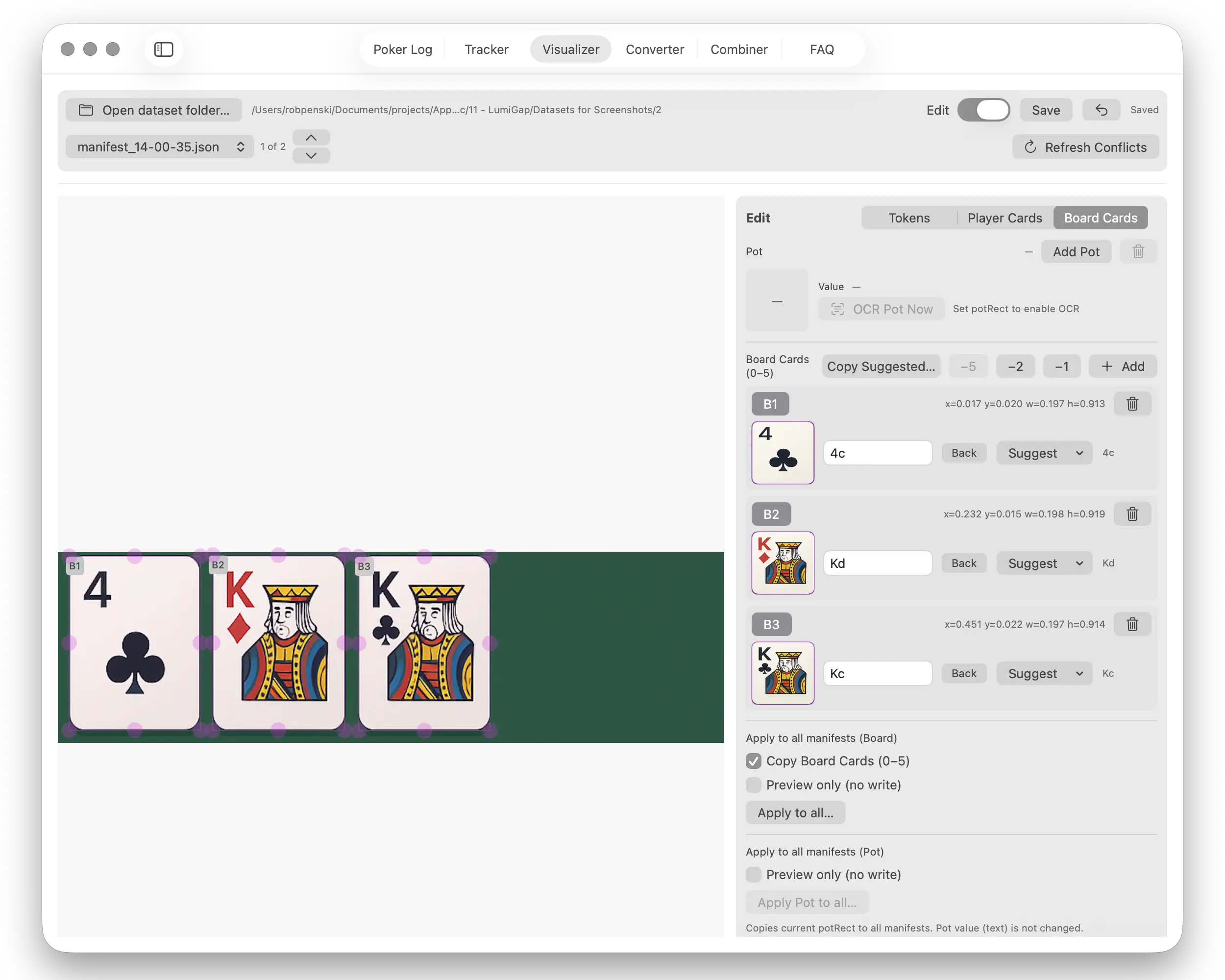
Board Card Annotation for Dataset Creation
A board-level annotation editor: adjust card bounding boxes, assign card values, and apply edits across entire sequences. Used for precise Object Detection dataset preparation for custom ML models.
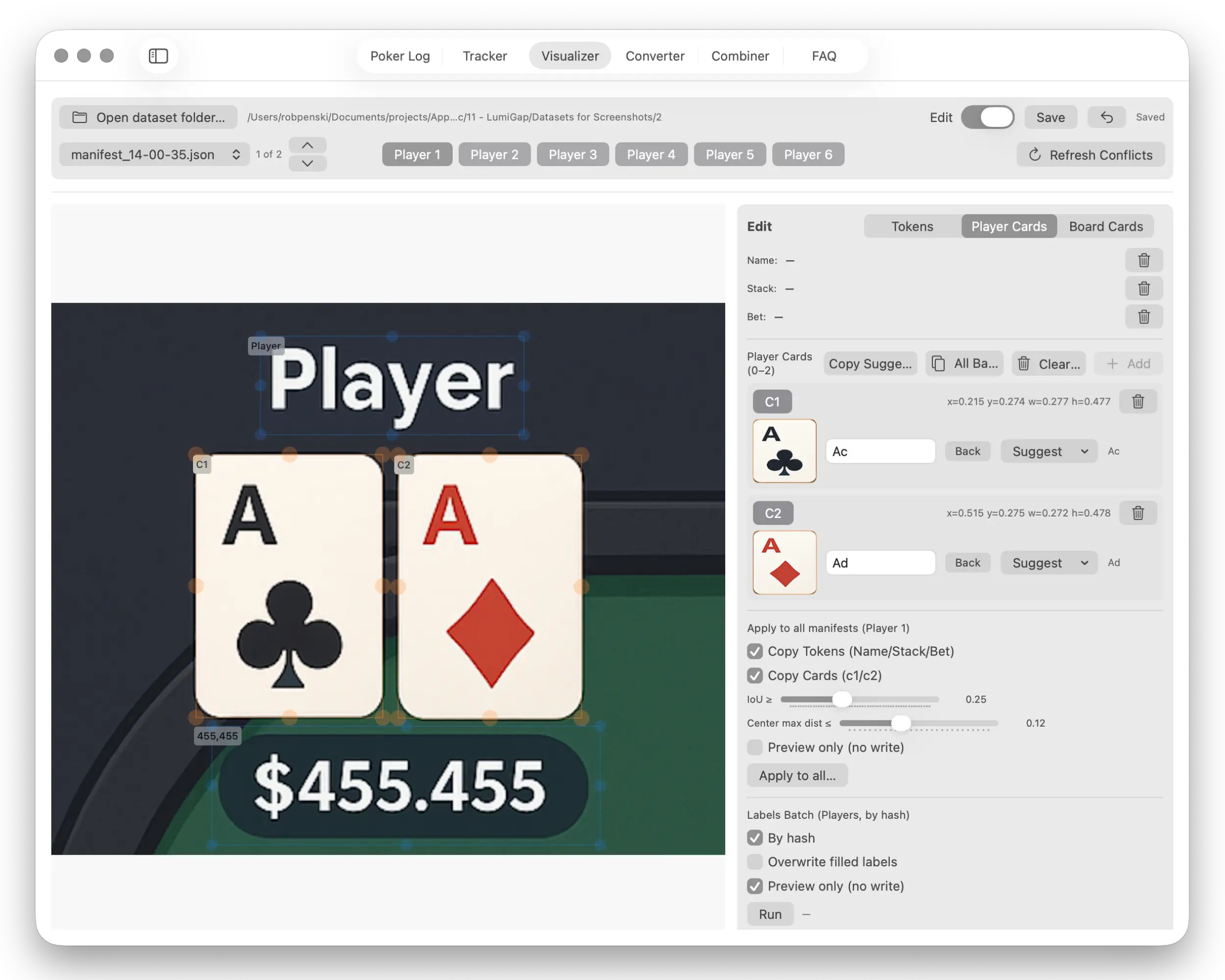
Player Card Annotation
A precise editor for Player Cards: adjust card regions, labels, and values, with automatic batch application across multiple frames. Ideal for training personalized ML models tailored to your table layout.
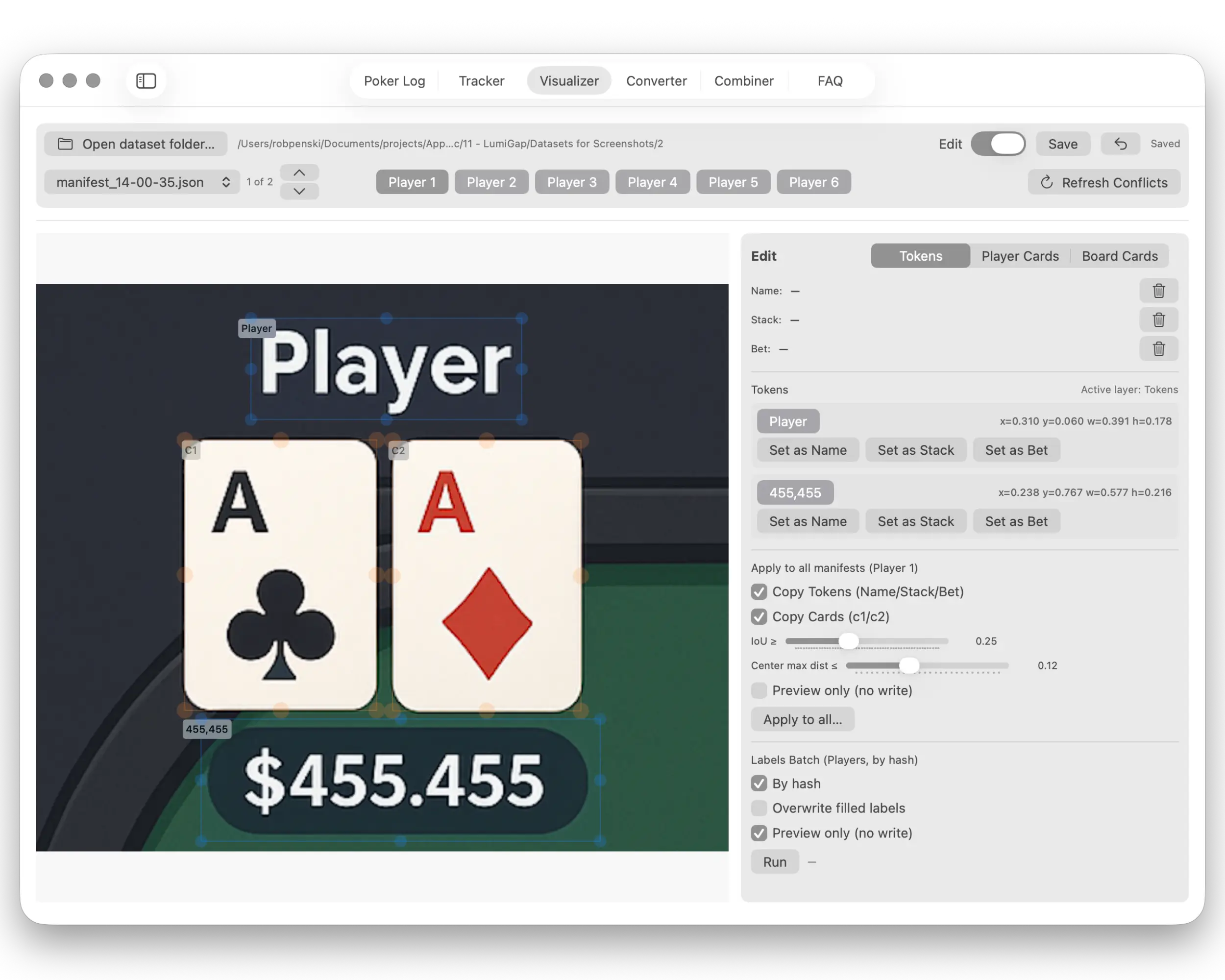
Player Token Editing
Annotation of player name, stack, and bet tokens. Allows correcting ML recognition results, manually setting values, copying tokens, and applying edits across all manifests for a specific player.
Gameplay Result Visualization
A collection of charts: bankroll growth, profit by model, monthly win-rate, buy-in distribution, and activity. Charts update automatically as new sessions are added.
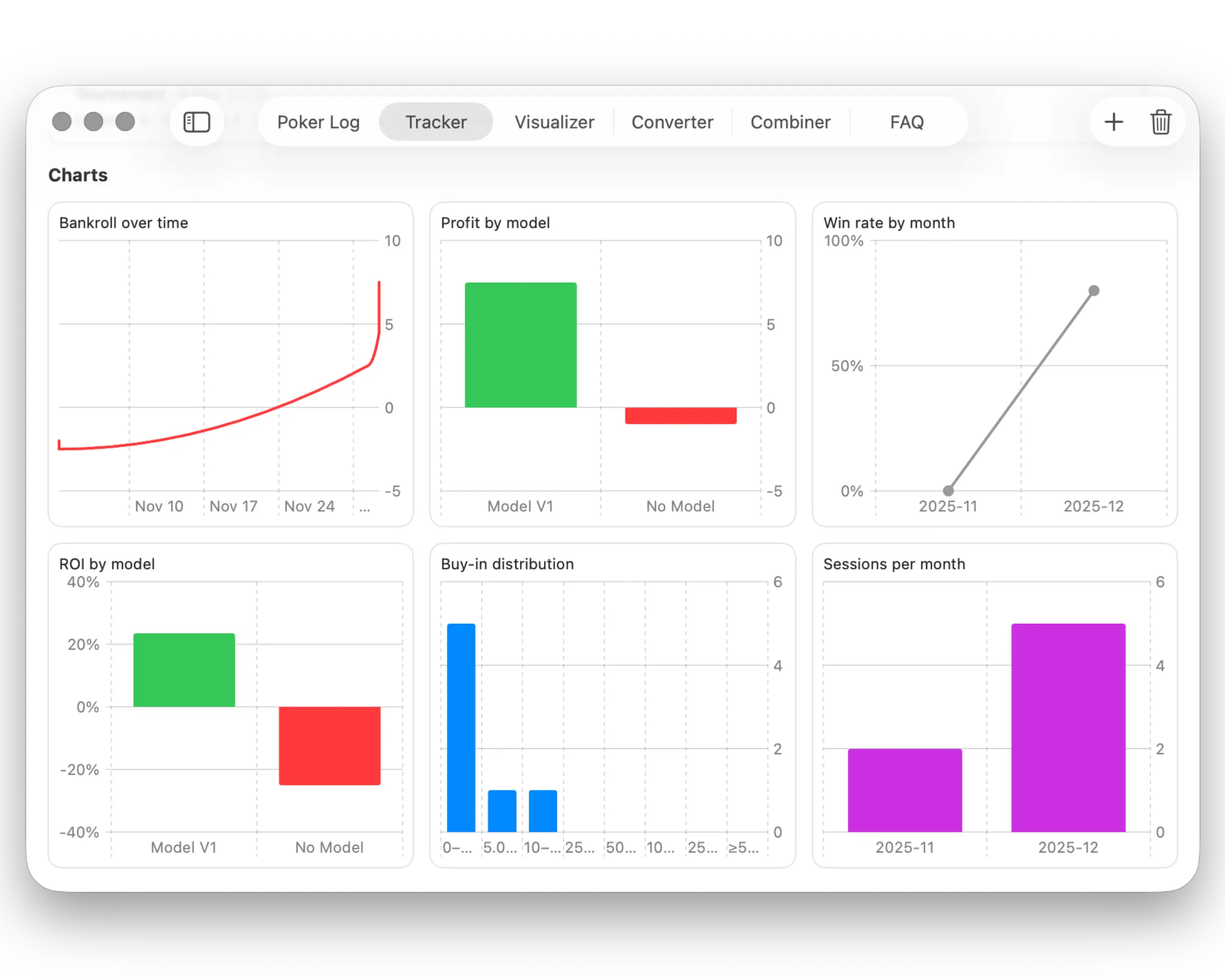
Session Management & Key Analytics
The main tracker panel: detailed session list with filters by type and model, key metrics overview, profit analytics, and built-in performance charts.
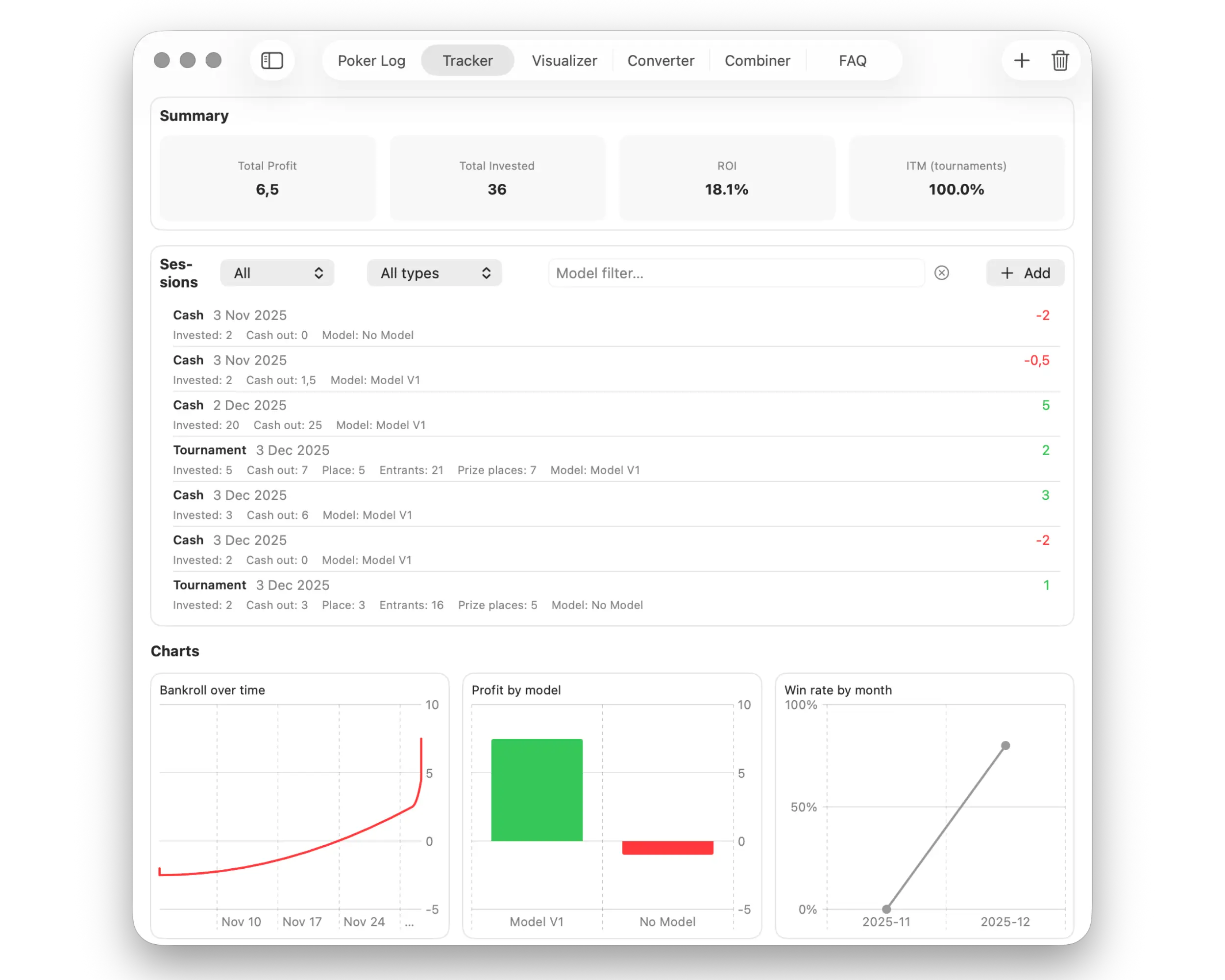
Configure ROI overlays, frequency, and external detectors to match your research presets.